CHANGE TICKET · BY BLUE COLLAR ALLY
Extra work should not turn into free work.
When somebody asks for extra work, get it written down fast so the office can price it, send it, and track it.
HOW IT WORKS
01Record the extra workVoice, note, or photo
02Clean up the detailsMake the request clear
03Office checks itSet the price
04Track approvalKnow where it stands
SEE WHAT YOU WILL BE LOOKING AT
The dashboard is made to be simple.
This is the kind of information your team will see: what is open, what needs attention, and what needs to happen next.
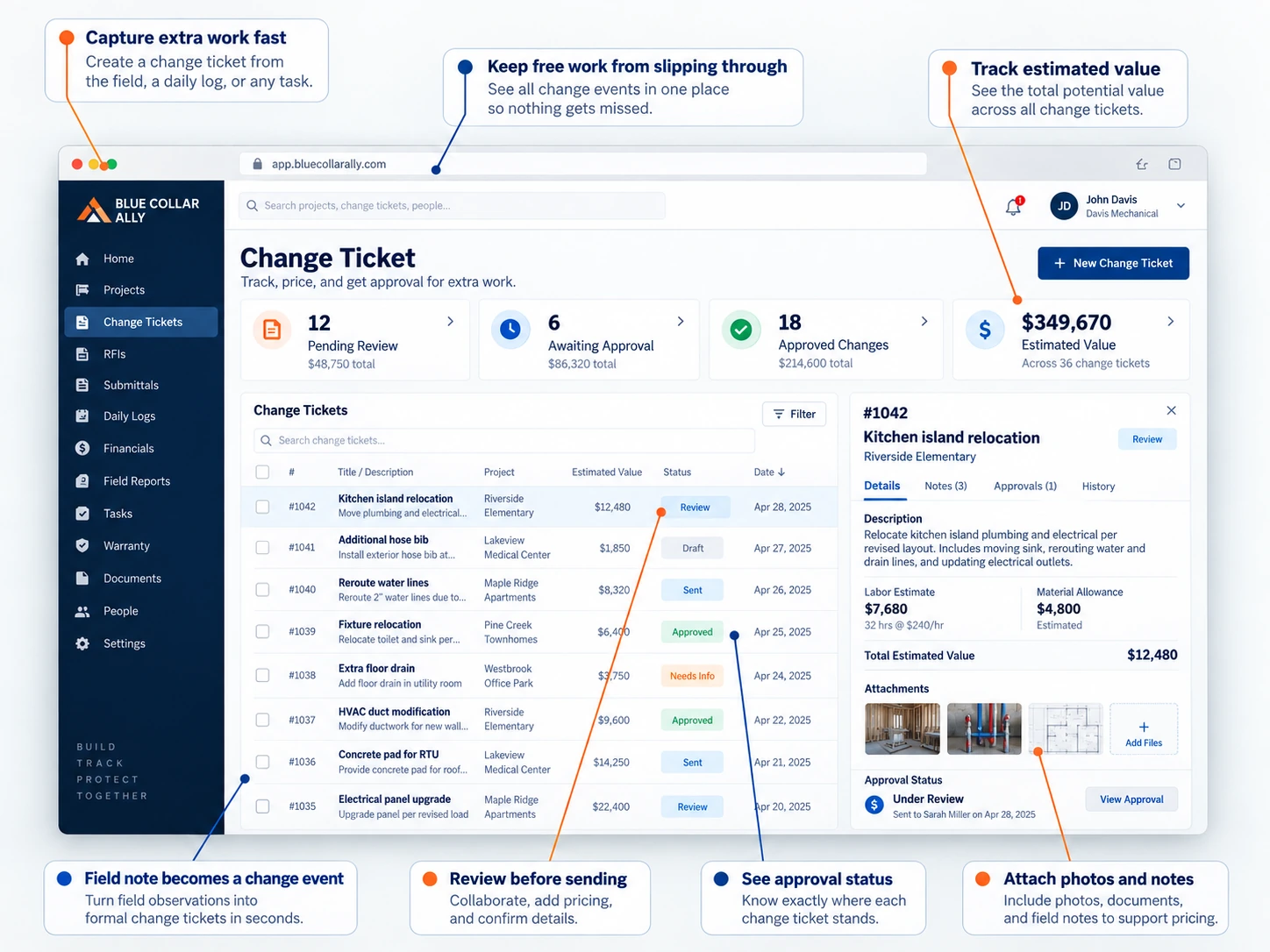
The field guy records what changed. The office checks it, sets the price, sends it for approval, and keeps track of it until it is done.
WHAT YOU GET
Less stuff to remember.
Catch it right away
Record the change before the crew moves on.
Get it in writing
Turn a quick request into a real change ticket.
Keep control of price
Your company decides what the work costs.
Know where it stands
See what is open, approved, denied, or ready to bill.
TRY IT ON REAL WORK
Use Change Ticket on one real job.
Try it free for 14 days. No credit card. Put real work in it and see if it makes your day easier.