PLUMBSYNC · BY BLUE COLLAR ALLY
Know what job is ready, who has it, and what comes next.
Keep builders, lots, addresses, crews, and job status in one place instead of chasing text messages.
HOW IT WORKS
01Add the jobLot or address
02Assign the workPick the crew
03Update the statusSee where it stands
04Finish the phaseMove to the next step
SEE WHAT YOU WILL BE LOOKING AT
The dashboard is made to be simple.
This is the kind of information your team will see: what is open, what needs attention, and what needs to happen next.
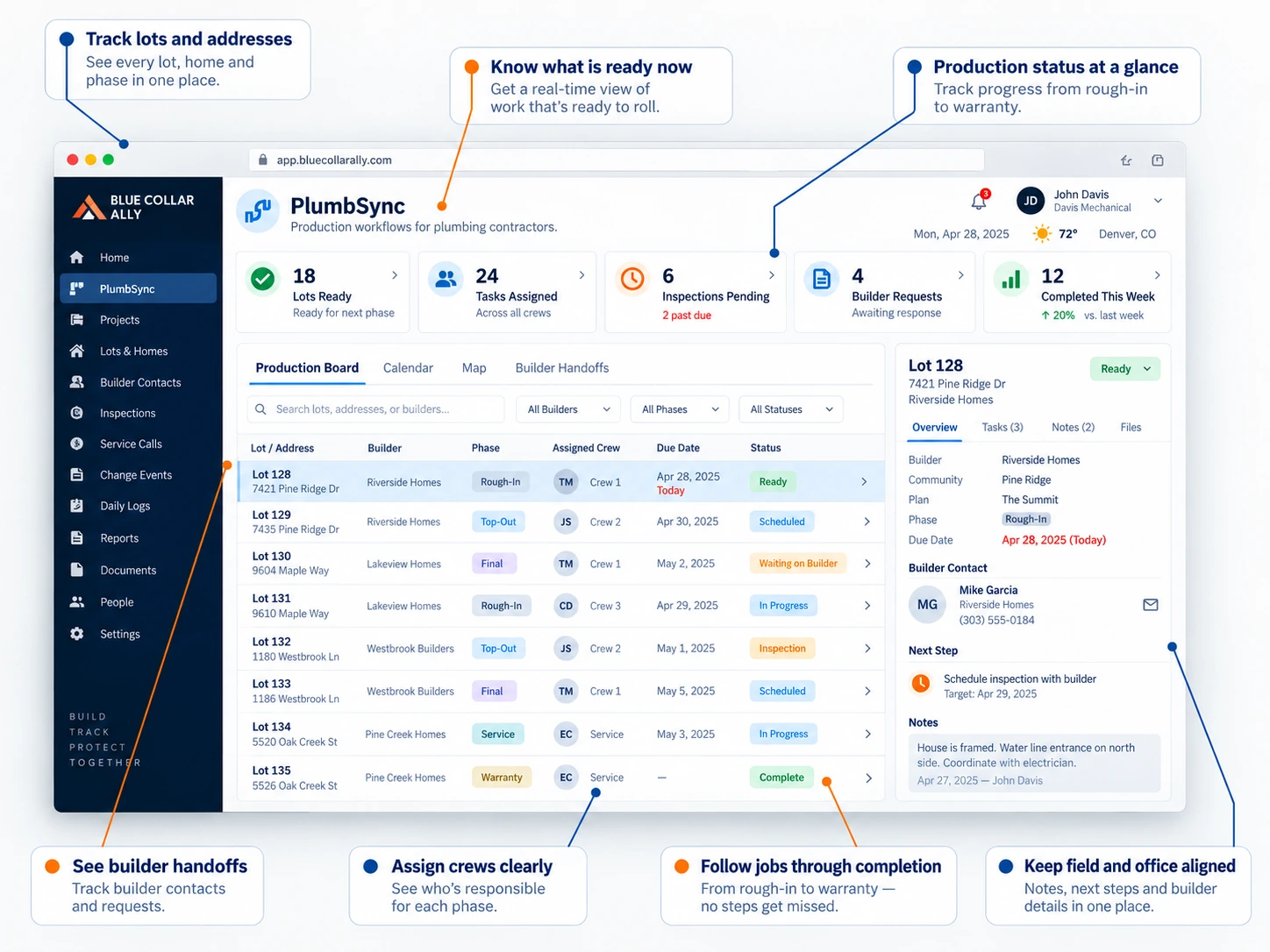
PlumbSync shows the job, the lot or address, who has it, what stage it is in, and what needs to happen next.
WHAT YOU GET
Less stuff to remember.
Stop chasing updates
Give the office and field one place to look.
Know who has the ball
Make the next person clear.
Keep the job together
Builder, address, notes, and work stay in one place.
Keep work moving
Make the next step easy to see.
TRY IT ON REAL WORK
Use PlumbSync on one real job.
Try it free for 14 days. No credit card. Put real work in it and see if it makes your day easier.